
Blood Pressure Tracker App
What we did
  • Competitive Research
  • Formative User research
  • UI Design
  • Usability Testing
Team
  • Project Manager
  • Marketer
  • UI/UX Designer
  • Developer
Client
  • Blood Pressure Tracker App
Location
  • USA
Duration
  • 4 months
Tools
About project

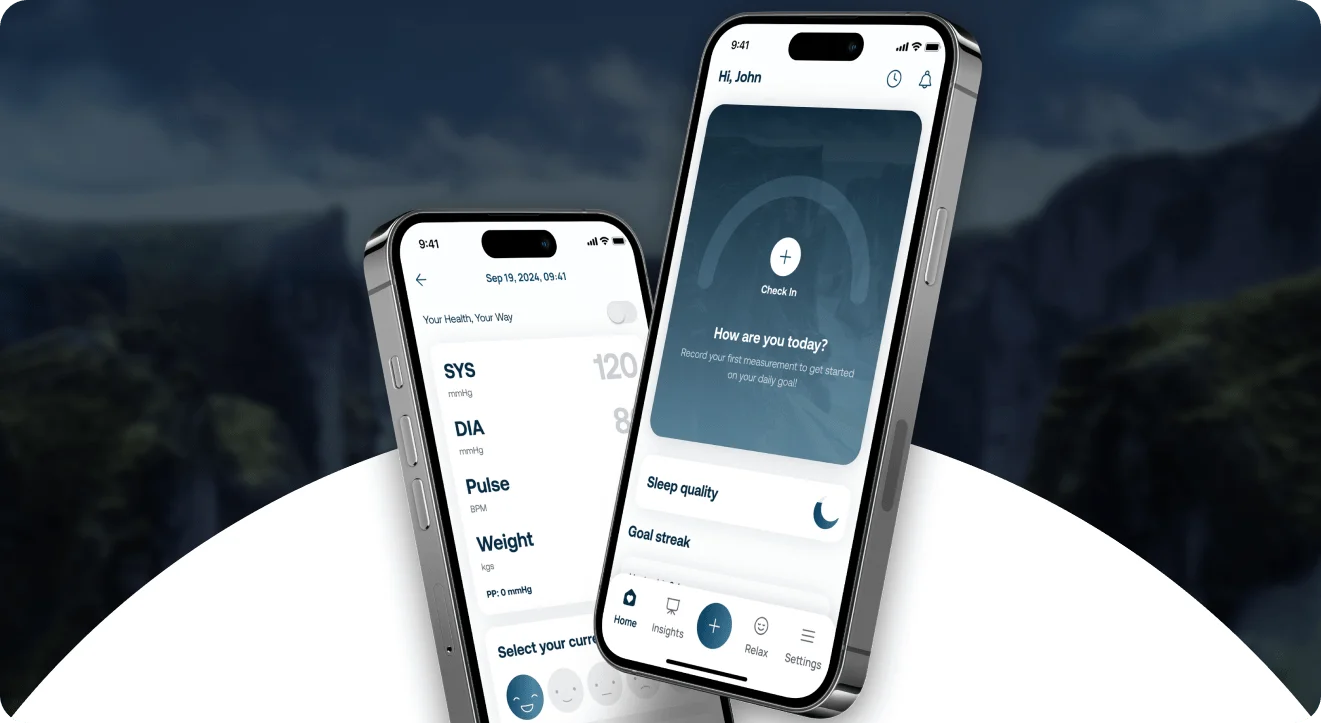
We helped to develop and design a blood pressure tracker app that also helps users to take care of their health in general. The main goal of the client was to develop a product that would be easy to use for people of all ages, so we focused on this during the project.

Goals
  • Develop blood pressure tracking process
  • Simplify the functionality for all age audience
  • Introduce healthcare features
User Research

After researching the audience and conducting a series of surveys, our team formulated conclusions for further work with the tracker.

Pain Points:

Inaccurate readings: users want reliable and precise blood pressure measurements. Inaccurate readings can lead to incorrect health decisions.

Complexity: some users find traditional blood pressure monitors cumbersome and confusing.

Lack of Reminders: remembering to measure blood pressure regularly can be challenging.


Goals and Expectations:

Track progress: users want to monitor their blood pressure trends over time.

Receive alerts: alerts for abnormal readings (high or low blood pressure) are essential.

User-friendly interface: an intuitive app with clear instructions and easy navigation.

Integration with health data: users expect seamless integration with other health apps or wearables.

Educational content: information about blood pressure management, lifestyle changes and risk factors.

Onboarding

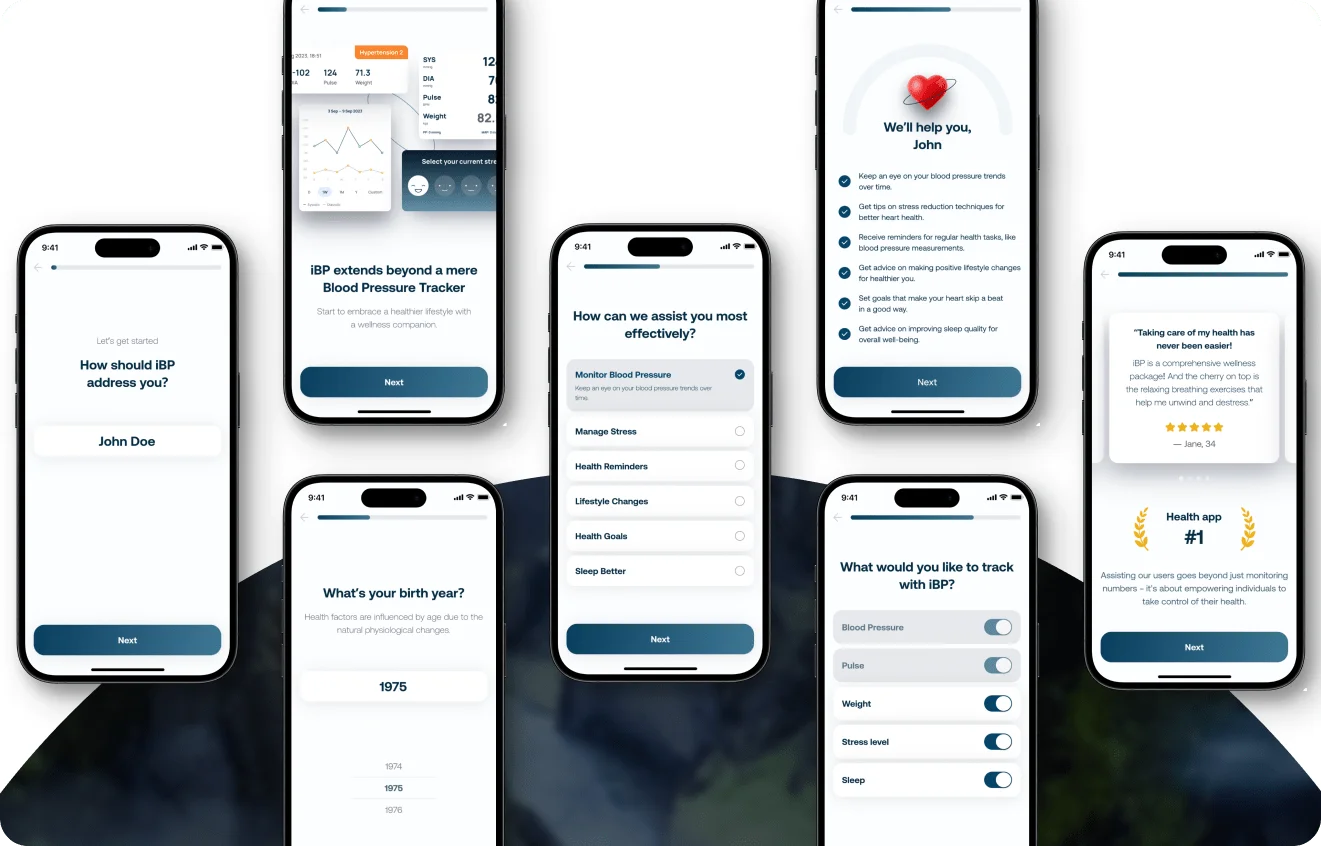
We created an onboarding flow that helps the users to overview the app’s features, choose the ones that are useful to them, and get all the necessary information from the user for further comfortable and custom use of the app. We also set a personalized tone on the 4th screen with a heart image and the text “We will help you, John!”. The last screen highlights the benefits users will get with the app and encourages them to get started.

Home screen

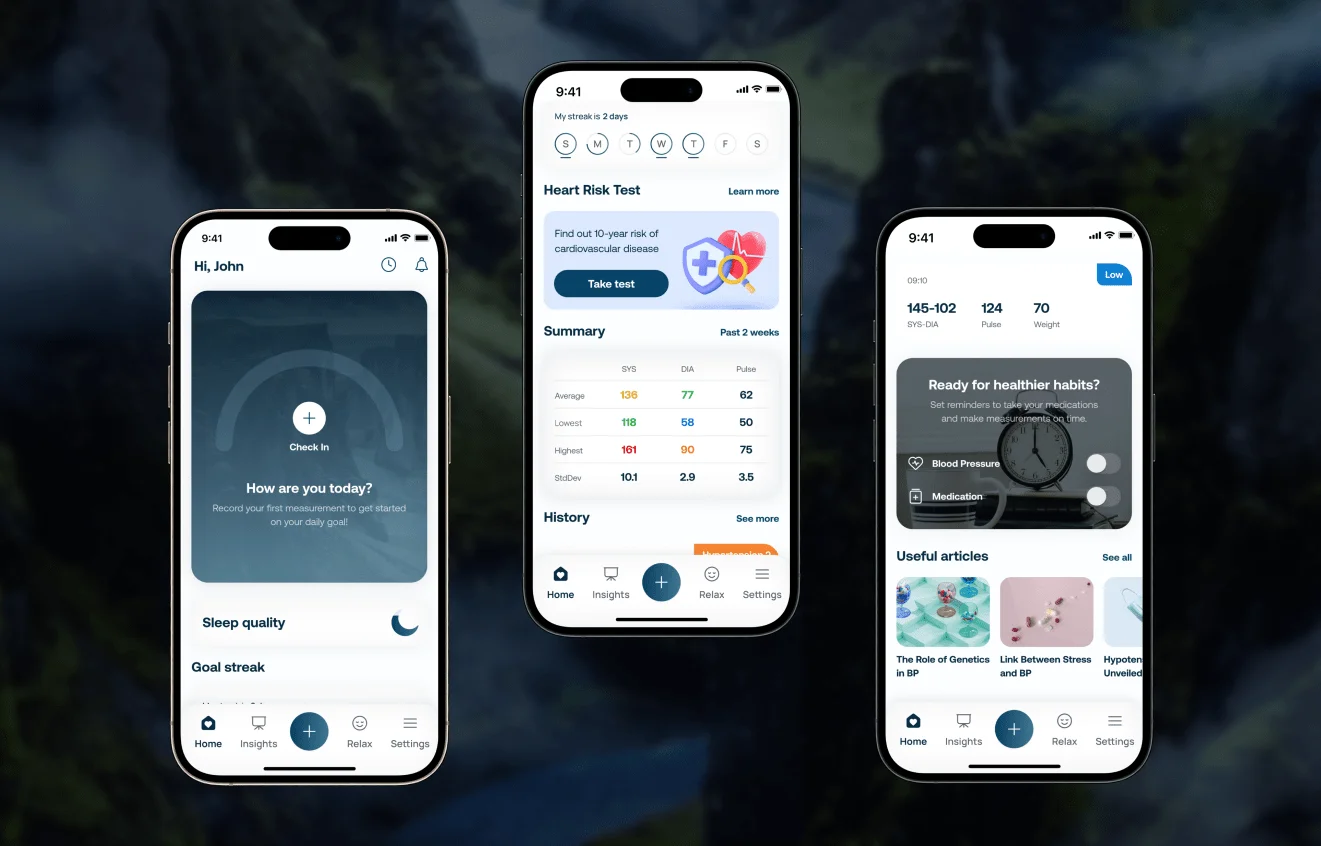
When designing the home screen, we wanted to place all the functions that the user needs within easy reach.

First of all, there is the blood pressure dashboard designed with nature image and making the home screen attractive and calming.

The next section, “Goal streak”, shows daily goals achieved during the week, and “Heart Risk Test” encourages users to learn about their cardiovascular risk. The “Summary” graph displays health indicators for the last 2 weeks (e.g. weight, average blood pressure, pulse rate). There is also a block with the latest records in the measurement history with the corresponding level labels.
The home screen concludes with a “Ready for Healthy Habits?” prompt that encourages users to set reminders to take their blood pressure or take their medication.

Input Flow

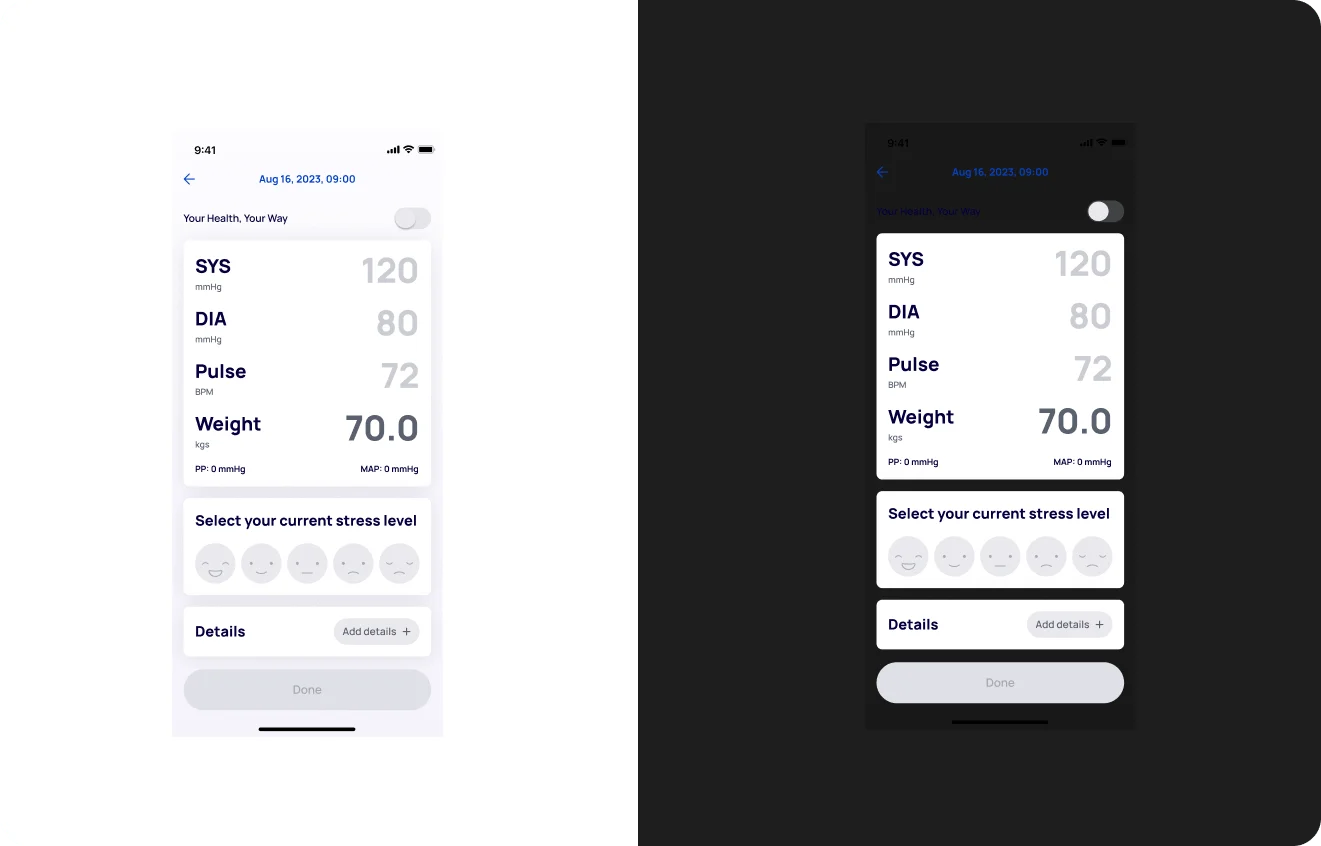
To enter a new measurement, the user selects the date, SYS, DIA, Pulse, and weight. Next, they can indicate their stress level during the measurement using smiley buttons. The “Details” section allows users to enter additional information: place of measurement, location, add tags “After eating”, “After taking blood pressure medication”, etc., and write some notes.

User can switch to the simple mode, in which case the templates for weight and stress level will be hidden. 

Also, the app can sync data with modern blood pressure monitors via Bluetooth or simply scan data with the camera in “Scan” mode, which further simplifies the use of the app.

Statistics & Report

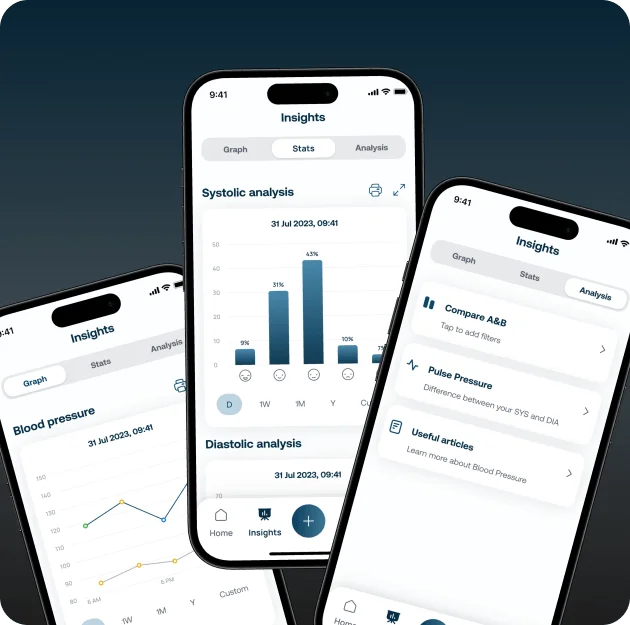
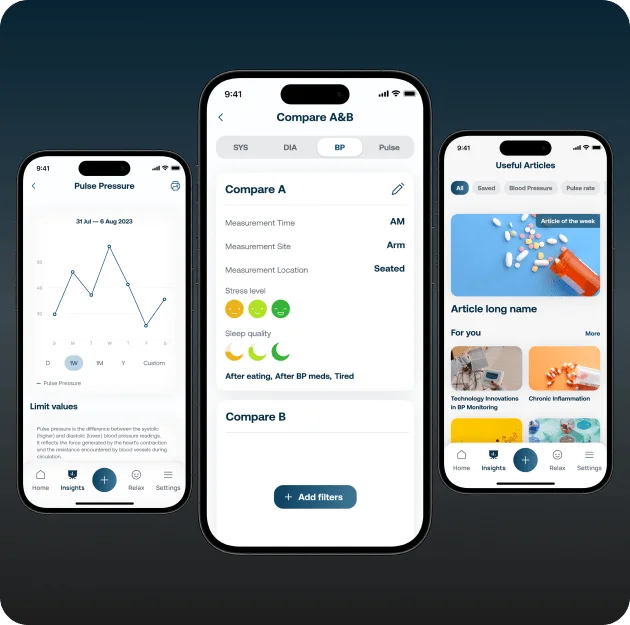
Statistics is a very important part of the application, because it is what the user has as the ultimate benefit. This section shows them the trends and averages of their blood pressure, weight, and stress levels and allows them to collect and share data with their doctor, which is very popular. 

So the user can view insights, graphs, and stats in all areas, as well as analyze them and compare them with various filters. There is also a library of useful articles to expand the user’s knowledge of health care.

When collecting data for export, the user can choose what they want to include in the report and then receive a PDF file for printing or sending.

Relax

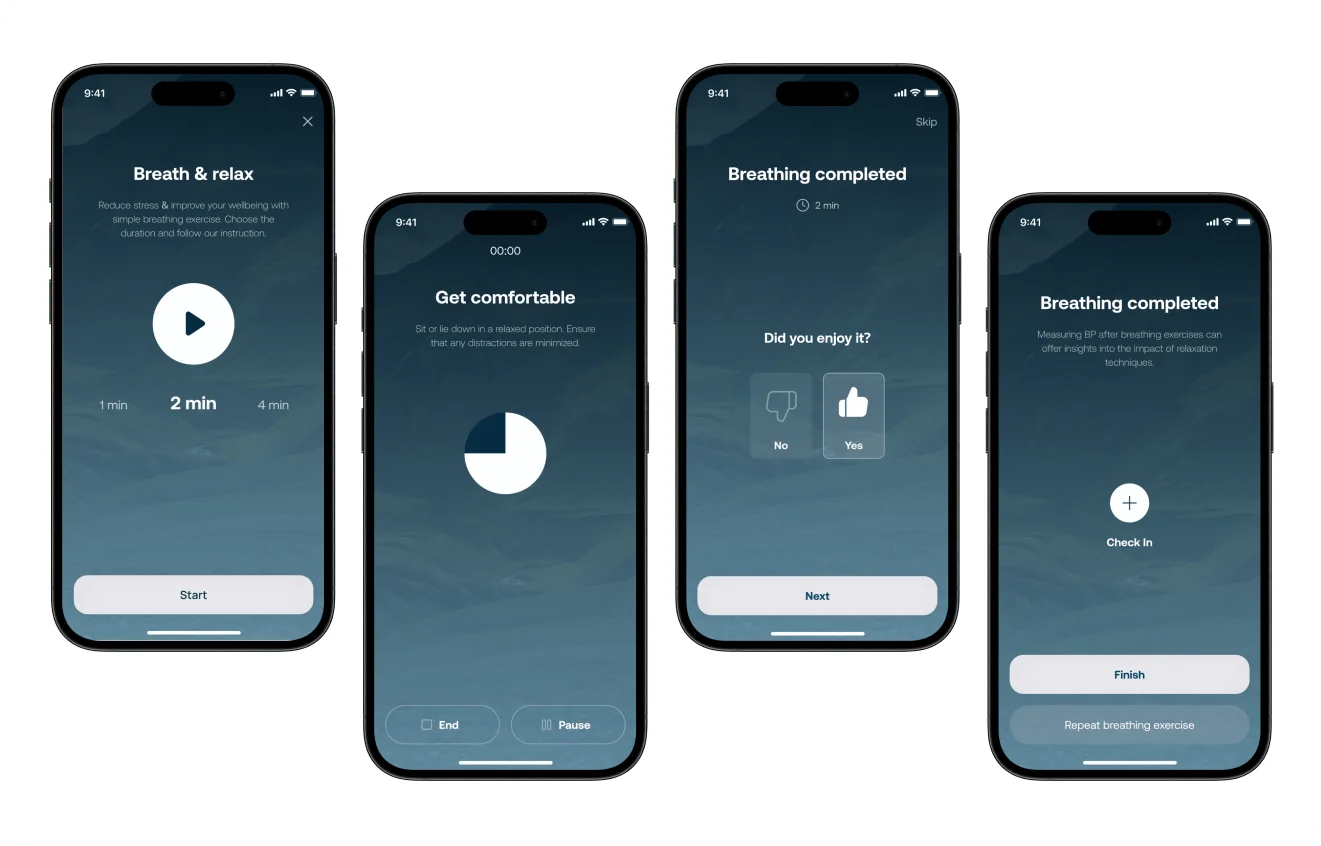
The Relax section offers users breathing exercises that directly affect their blood pressure level. The user can choose the length of the exercise, then take a comfortable position and start exercising with voice guidance and relaxing music. The screen visuals maintain a calming atmosphere with a dark design and a beautiful landscape picture. After the exercise, the user can evaluate it and add a new measurement.

Cases that you might like
Crypto trading App
Crypto trading App
We helped to develop and design Complex Crypto Margin Trading and Exchange Platform’s Website. The hypothesis was that visitors of…
Blood Pressure Tracker App
We helped to develop and design a blood pressure tracker app that also helps users to take care of their…
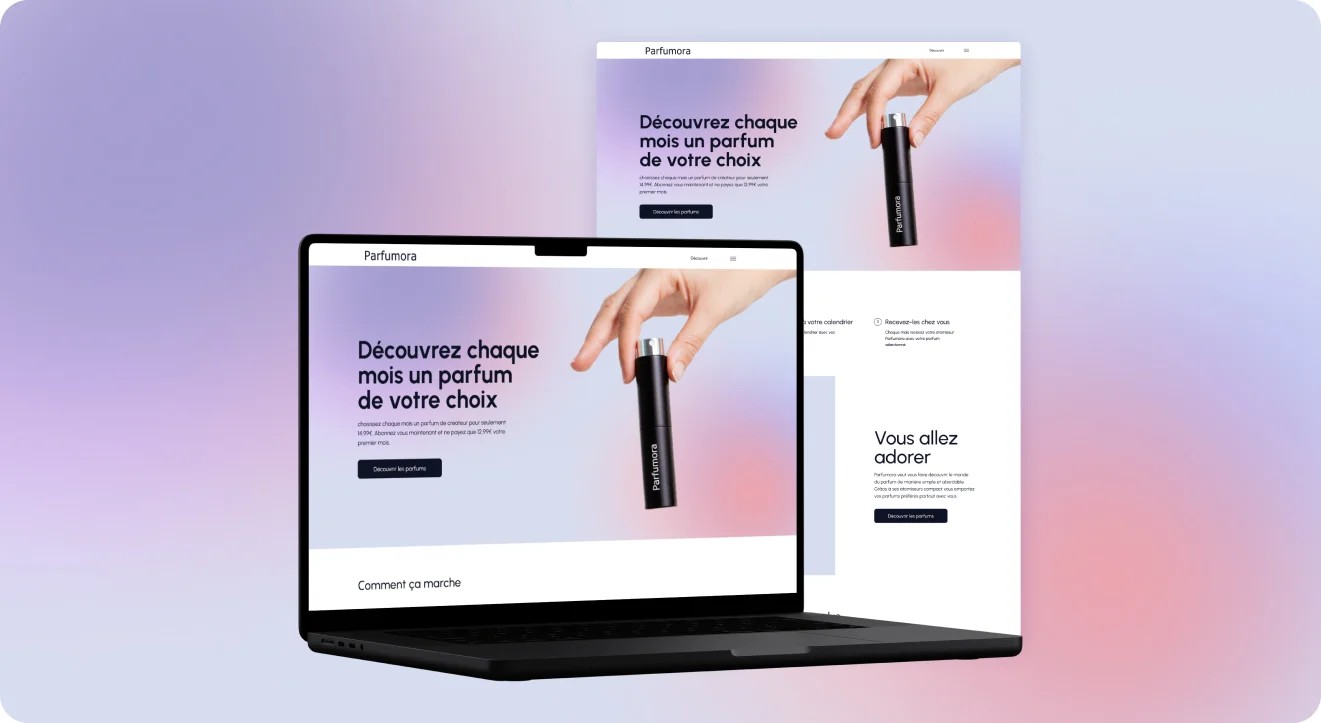
Parfumora Website
Parfumora Website
The client needs a cool website shop for selling perfumes with a subscription. This site should be full of desires…
Get in touch
Let’s Talk!