Checking emails, replying to Instagram messages, ordering groceries, and listening to music. This is just a small part of the daily tasks the average person handles on their smartphone. Every year, the number of smartphone users grows by 5%, and with it, the number of apps available. Daily, 100,000 new apps appear on Google Play, and around 30,000 on the App Store. More apps, more users, more hours spent on smartphones — this briefly captures today’s mobile development market.
As the number of apps increases, so does the competition between them. Simply developing an app and releasing it isn’t enough. The app needs to be noticed by users who must decide to download it. This is where App Store Optimization (ASO) comes into play. ASO combines all the actions taken to ensure that a potential user sees the app in the store and is inclined to download it.
How ASO Boosts App Downloads
- Increased Search Visibility: With effective ASO, an app stands out in search results among hundreds of similar apps.
- Higher Conversion Rates: Beyond just visibility, ASO helps in persuading users to download the app once they see it.
In essence, ASO is crucial for any app’s success in today’s saturated market. By improving search visibility and conversion rates, ASO ensures that an app not only reaches its target audience but also appeals to them enough to secure a download.
Preparing for ASO Optimization
The rise in app rankings and downloads is driven by a well-crafted and executed ASO strategy. Typically, an ASO specialist builds this strategy based on a thorough analysis of your product, its users, and competitors.
ASO is commonly divided into textual and visual optimization. Ideally, both should start before the app’s release. Since the App Store and Google Play use different algorithms, the work in these stores will differ significantly. It’s crucial at this stage to study the basic guidelines of both stores for visual elements (creating icons, screenshots, feature graphics, and optionally, videos). Decide who will handle the textual optimization of the app (an agency, an in-house team member, or an independent consultant). The specialist will help you craft the name, short and full descriptions, and fill in the keyword fields correctly. Each of these steps has nuances that collectively influence how well Apple and Google’s algorithms understand and rank your app, indexing it with the appropriate keywords.
Textual Optimization of the App
Working with textual data is critical and varies for the App Store and Google Play. When your app is ready for release, you need to prepare the textual data: the name, short and full description, and keywords. The search results in the App Store are influenced by fields like Title (App name), Subtitle, and Keywords, while in Google Play, the relevant fields are Title, Short Description, and Full Description.
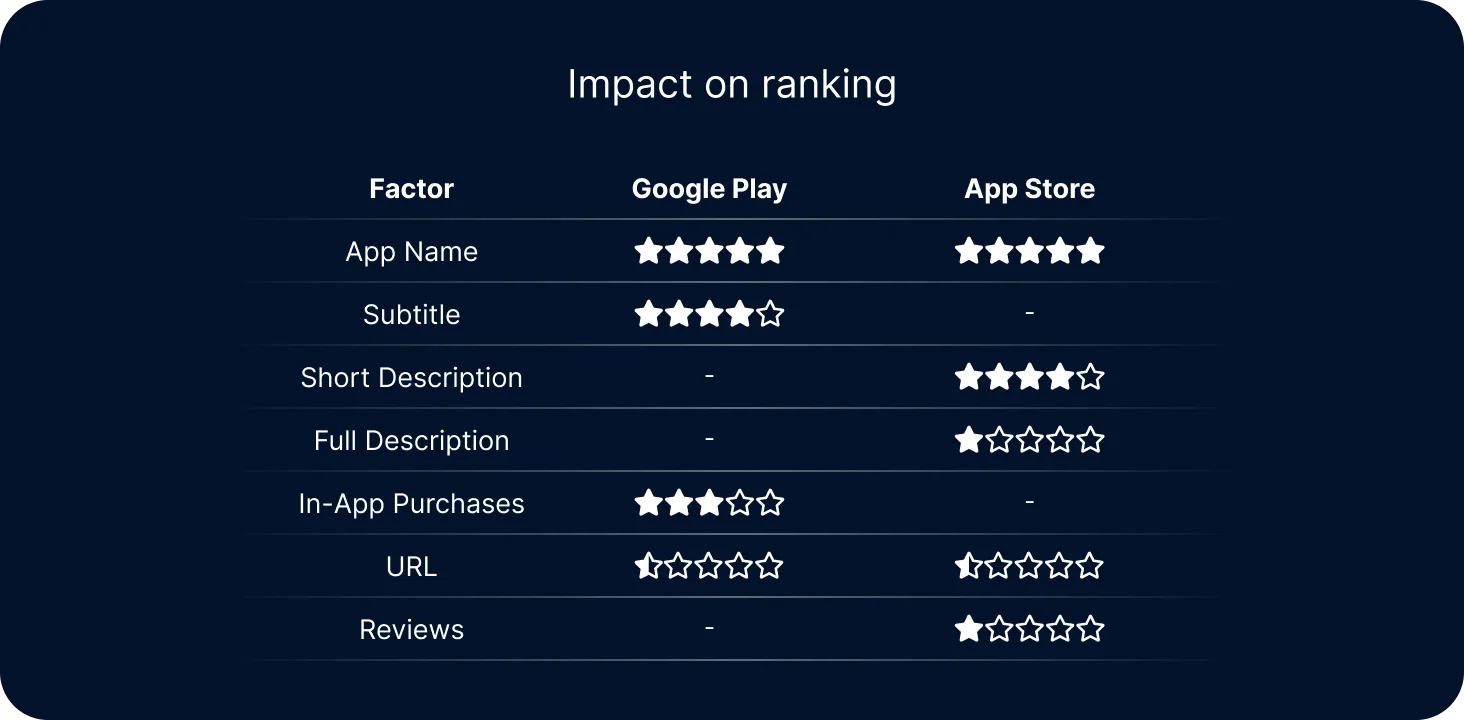
Preparing these fields starts with the ASO specialist properly organizing the collection of keywords — the semantic core. These are the words users use to find your app or to fulfill a specific need. These keywords must be relevant and correctly gathered. They should be added to the name and descriptions so that users can find your app when the stores index it. Often, ASO specialists use special services for gathering the semantic core, such as AppTweak, AppFollow, SensorTower, and others. These tools not only help with competitor analysis, semantic core collection, and metadata preparation but also show the app’s ranking in the overall search results post-indexing.
By tracking successful and unsuccessful keyword traffic, the ASO specialist makes necessary adjustments. This process is quite dynamic with the App Store — after editing metadata, you can see the results in analytics the next day. However, Google Play has more complex algorithms, and you’ll need to wait at least 2-3 weeks, sometimes longer, to see results.
So, textual optimization is essential if you hope for downloads and high rankings in search results. The App Store and Google Play have different indexing algorithms and numerous nuances. Textual optimization includes preparing the name, short and full descriptions, and selecting keywords. All of this constitutes the app’s metadata. You can entrust this work to a specialized agency, hire a specialist for your team, or find a consultant for project work. After releasing the app with updated metadata, you can see results in ASO optimization programs the next day for the App Store, but for Google Play, not earlier than a month.
Visual Optimization
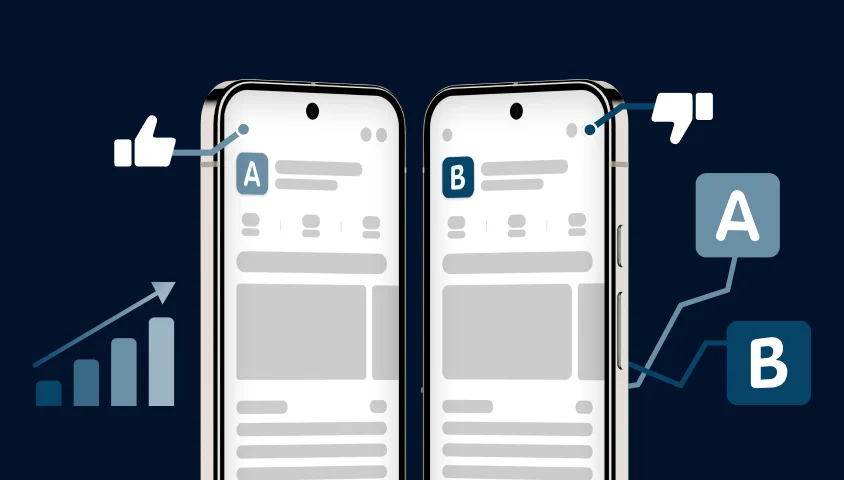
Having tackled textual optimization, let’s assume our app has reached the top of search results. What’s next? Now, we need users to notice the app and choose to install it over competitors. This is where visual ASO comes into play. The visual appeal of your app, influenced by its icon, screenshots, feature graphics, and promo video (if available), becomes crucial.
Visual ASO includes several components:
- Icon: The first element users see.
- Screenshots: Showcase the app’s interface and features.
- Feature Graphics and Promo Videos: Enhance the app’s presentation.
Steps Before Visual Optimization:
- Research Your Product and Its Features: Understand what your app offers.
- Study Your Target Audience: Analyze store reviews to know what appeals to users.
- Analyze Competitors and Their Audience: Learn from their strengths and weaknesses.
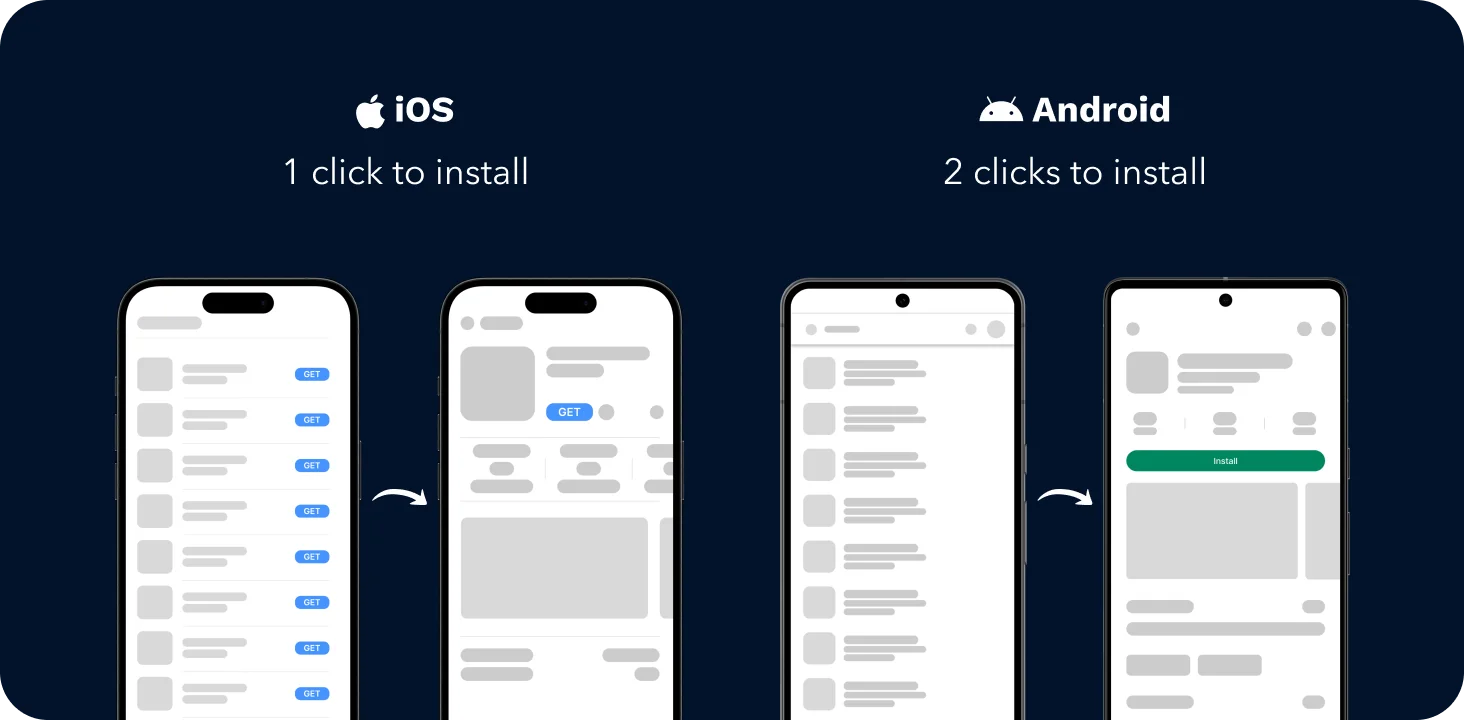
This research helps determine the overall style, messages, and colors for your visuals. Based on the gathered information, you prepare visual materials for testing. It’s important to note that graphic elements in the App Store and Google Play look different. When you search in Google Play, only icons appear in the results, while in the App Store, both icons and screenshots are displayed.
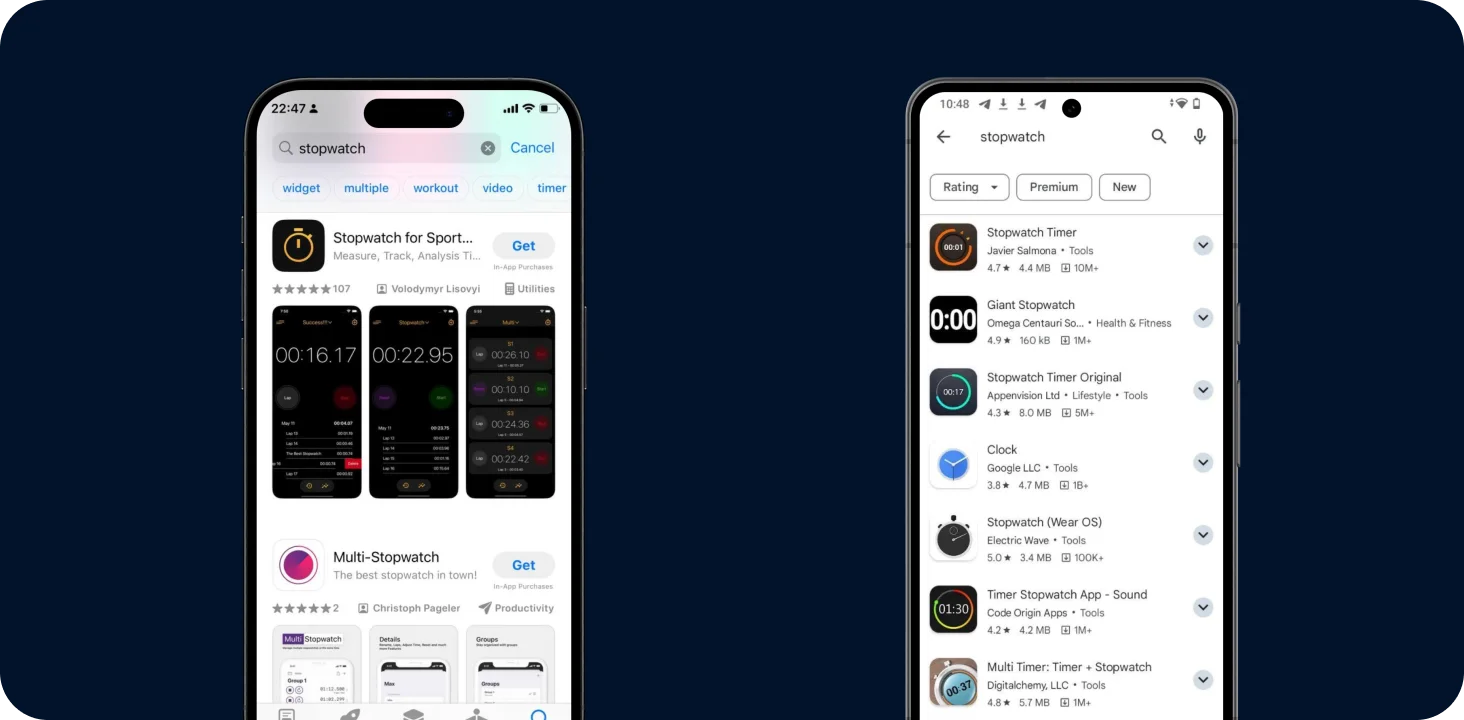
This doesn’t mean you should skip creating screenshots for Android apps. It highlights that the icon plays a crucial role in attracting users to the app’s page on Google Play.
Icons
The icon must be clear, understandable, and stand out in the search results. Both stores have specific requirements for icon creation, which can be found on their respective guidelines: App Store, Google Play.
Screenshots and Feature Graphics
Screenshots should effectively showcase the app’s functionality and appeal. For the App Store, they are immediately visible in search results and play a vital role. Feature graphics and promo videos can further enhance the user’s first impression and encourage downloads.